Matter, Thread, Zigbee, Z-Wave, Wi-Fi and Bluetooth explained
What each smart home standard is, what it needs (hub, Thread border router, 2.4 GHz Wi-Fi) and which to choose for your home and the app you use.
Updated 2026-11-27
The short version
These names describe two different things. Matter is a common language that lets one device work with Apple Home, Google Home, Alexa, SmartThings and Home Assistant (Connectivity Standards Alliance). Wi-Fi, Thread, Zigbee, Z-Wave and Bluetooth are the radios devices use to talk. Matter runs over some of those radios; the others need a hub or bridge to join in.
| Technology | What it is | What you need |
|---|---|---|
| Matter | Shared standard for control across apps | A Matter controller for your app (hub, speaker or phone) |
| Thread | Low-power mesh radio used by Matter | A Thread border router |
| Wi-Fi | Your home network | A router; most smart devices need 2.4 GHz |
| Zigbee | Low-power mesh radio, older and widespread | A Zigbee hub or a Matter bridge |
| Z-Wave | Low-power mesh radio on sub-GHz frequencies | A Z-Wave hub or controller |
| Bluetooth | Short-range radio | Your phone nearby, or a brand's hub for remote use |
Matter: one device, several apps
Matter is run by the Connectivity Standards Alliance and covers more than 30 device types, from lights and plugs to locks, sensors and appliances (CSA). Its big benefit is multi-admin: the same plug can be controlled from more than one ecosystem. Apple, for example, lets you add an accessory that is already paired with another Matter app (Apple Support).
According to the Thread Group, Matter uses three technologies: Bluetooth LE for setup, Wi-Fi for devices that need more bandwidth, and Thread for low-bandwidth devices such as locks and motion sensors. SmartThings adds Ethernet to that list (SmartThings Support). When you set up a Matter device, you scan a QR code or type a setup code; SmartThings notes the code is 11 or 21 digits.
What Matter does not do: it does not remove the need for a controller. Each app needs its own Matter hub or controller:
- Apple Home: Apple recommends a home hub (Apple TV, HomePod or HomePod mini). An iPhone on iOS 18 or later can add and control Matter accessories without a hub, but a hub is what enables remote control and automations (Apple Support).
- Google Home: a Matter-enabled hub such as Nest Hub (2nd gen), Nest Hub Max, Nest Audio, Nest Mini, Nest Wifi Pro or Google TV Streamer, and IPv6 turned on in your home network (Google Nest Help).
- Alexa: a Matter-compatible Echo or eero; Amazon's list includes Echo (2nd gen and newer), Echo Dot, Echo Show and Echo Hub models (Amazon developer docs).
- SmartThings: a SmartThings or Aeotec hub as the controller, with your phone running the SmartThings app to set devices up (SmartThings Support).
Thread: the low-power mesh behind many Matter devices
Thread is an IPv6-based, low-power protocol built on IEEE 802.15.4 (Thread Group). Devices form a mesh: if one goes offline, traffic is rerouted through others, and battery sensors can run for years (Thread Group FAQ).
Thread devices reach your network through a Thread border router. The Thread Group describes it as a function rather than a specific device, and many products have one built in:
- Apple: Apple TV 4K, HomePod (2nd generation) and HomePod mini, or a compatible third-party border router. iPhone 15 Pro and later can control Thread accessories without a hub (Apple Support).
- Google: Nest Hub (2nd gen), Nest Hub Max, Nest Wifi Pro, Google TV Streamer and the 2026 Google Home Speaker (Google Nest Help).
- Amazon: some Echo and eero models have built-in Thread border routers (Amazon developer docs).
- SmartThings: the SmartThings 2018 hub and Aeotec Smart Home Hub; the 2015 hub supports Matter over Wi-Fi but has no Thread radio (SmartThings Support).
The Matter logo on a box tells you if a device needs a border router, according to SmartThings. If you already own one of the products above, Thread devices are a good choice for battery sensors and locks.
Wi-Fi: no hub, but mind the 2.4 GHz band
Wi-Fi devices such as plugs, cameras and many bulbs connect straight to your router, so there is nothing else to buy. The catch is the band: SwitchBot says its devices do not support 5 GHz Wi-Fi or WEP encryption (SwitchBot Support), and Lumary lists its outlets as 2.4 GHz only (Lumary). A dual-band router is fine as long as its 2.4 GHz band is on. Wi-Fi suits mains-powered devices; it is less suited to small battery sensors.
Zigbee: mature and cheap, but needs a hub
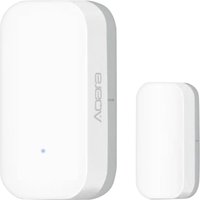
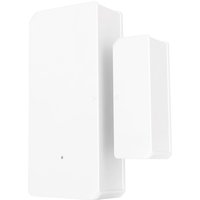
Zigbee is also run by the CSA. It is a self-healing mesh designed for low power, runs on 2.4 GHz and sub-GHz bands, and more than a billion Zigbee devices have been deployed (CSA). Most Zigbee sensors are inexpensive and last a long time on a battery. The cost is a hub: Aqara, for example, says its door and window sensor requires an Aqara hub (Aqara).
Zigbee devices can join a Matter home through a Matter bridge, which presents them to your app as if they were Matter devices. The CSA notes bridges can be built into hubs, TVs, routers and speakers (CSA). Check that a specific hub actually bridges the device types you own before relying on this.
Z-Wave: separate frequencies, separate hub
Z-Wave uses sub-GHz frequencies (908.42 and 916 MHz in the US), so it does not compete with Wi-Fi. Standard Z-Wave is a mesh of up to 232 nodes, and certified devices are designed to stay backward compatible. Z-Wave Long Range uses a star layout instead, with up to 4,000 nodes, and both the hub and the device must support it (Z-Wave Alliance). Z-Wave needs a hub that supports it; it is common in security systems and with SmartThings-style hubs.
Bluetooth: easy setup, short reach
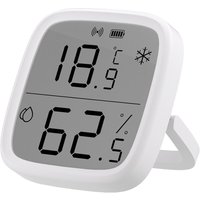
Bluetooth devices pair straight to your phone with no hub, but only work while you are in range. SwitchBot's explanation is a good example: its Meter can be read over Bluetooth around the house, but checking it remotely, syncing data or using it with voice assistants needs a SwitchBot hub on your Wi-Fi (SwitchBot Support). Matter also uses Bluetooth LE during setup; Amazon says Alexa uses it to pass network details to a new Matter device (Amazon).
Which to choose for your home
- Small apartment, few devices: Wi-Fi plugs and bulbs. No hub, quick setup. Check 2.4 GHz.
- You own a HomePod mini, Apple TV 4K, Nest Hub (2nd gen) or a Thread-capable Echo: choose Matter over Thread for sensors and locks. You already have the border router.
- Lots of battery sensors in a larger home: a mesh (Thread, Zigbee or Z-Wave) with a hub. Mains-powered devices on the mesh extend its reach.
- You already have Zigbee or Z-Wave gear: keep it, and add a hub with a Matter bridge if you want it in a second app.
- One brand's ecosystem (SwitchBot, Aqara): buy that brand's hub and confirm it works with your main app.
New to all of this? Start with the smart home starter guide.